Essential MICROSOFT 365 BACKUP
Own Your Backup. Protect Your Business




Overview
Complete Microsoft 365 backup, made simple
Under the shared responsibility model used by Microsoft, you bear the sole responsibility for your data in the event that your data is lost (e.g. through ransomware or employee deletions).
Our backup as a service in Azure is specifically designed to backup Exchange Online, OneDrive, SharePoint, Teams, Entra ID and many other workloads, with unlimited retention and fast, flexible recovery.
Get a Quote
Find out how much you could be saving. Tell us a bit more about what you need to backup and we’ll get back to you.


Advanced backup & restore
Full protection for all your Microsoft 365 data.

Backup SharePoint sites, Teams, OneDrive, Entra ID & more
Recover to any point in time
Restore to original or alternative locations
Granular recovery way beyond 14 days!


Advanced Teams backup
Keep your conversations, files & changes safe.
Back up chats, channels, files & attachments
Powerful search to quickly find anything
Captures changes frequently (hourly or nightly)
Restore by channel, user or search results.


Centralised management
Control everything from one easy cloud-based console.
Manage backup policies, users & permissions in one place
Role-based Access Control (RBAC) lets you restrict who can do what
Monitor backup jobs, perform restores & track recovery progress
View coverage, protection status and storage usage.


Flexible storage
Your backups are stored securely in your own Microsoft Azure environment.
Use our storage or ‘bring your own storage’
Meet data residency & sovereignty requirements
Optionally use immutable Azure blob storage for compliance
Tailor retention periods to different workloads.
DON’T PAY MORE THAN YOU NEED TO
Reduce your backup costs
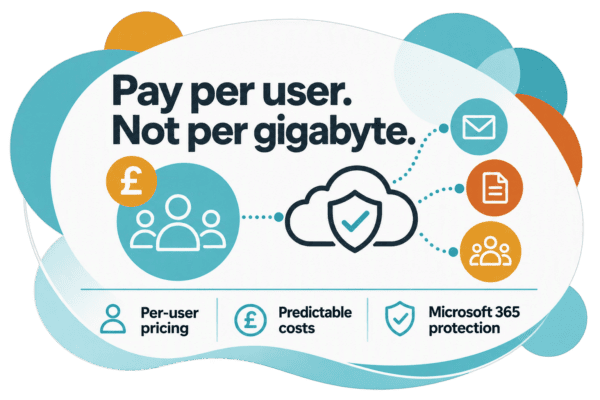
Protect your Microsoft 365 workloads in one go, with straightforward pricing that makes your costs clear and predictable.
A per-user licensing model rather than charges based on the volume of data stored, larger enterprises, particularly those managing substantial amounts of Microsoft 365 data benefit.
ONE BACKUP SERVICE – WIDER COVERAGE
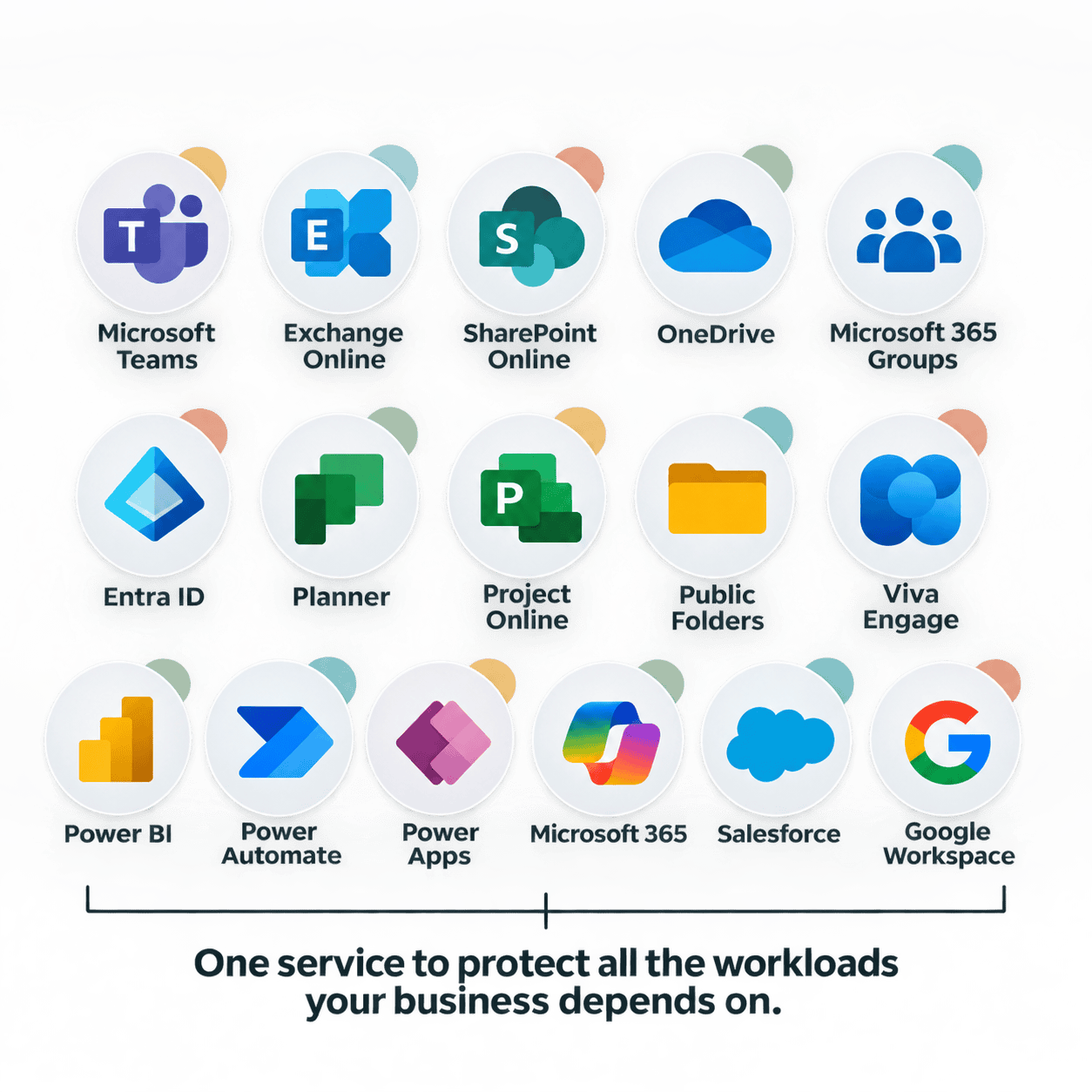
Protect all the workloads your business depends on
From Exchange Online, SharePoint, OneDrive, Teams and Teams Chat to Microsoft 365 Groups, Entra ID, Planner, Project Online, Public Folders, Viva Engage, Power BI, Power Automate and Power Apps – all covered through a single backup solution.
Extend protection to Salesforce and Google Workspace without the complexity of managing separate backup systems, infrastructure and storage.
IMPROVE YOUR CYBER RESILIENCE
Be Ready When Recovery Matters Most
Whether it’s an email security incident in Exchange Online, accidental deletion of files in SharePoint or OneDrive, or a ransomware attack, you’ll be prepared to recover your Microsoft 365 data quickly, easily and with all critical configurations, versions, permissions and more.

Work with a trusted partner.
Essential is Cyber Essentials certified, demonstrating that we meet the UK government-backed baseline for cybersecurity.
Our Microsoft 365 backup service is also hosted on one of the UK’s most trusted Microsoft cloud platforms, providing a secure and resilient foundation for protecting your Microsoft 365 data.

What our experts say

The granularity of restores going ‘way back’ using AvePoint is a game-changer for me – we can also let users do their own restores, which is a real time-saver for our IT team.
John Sparks, Technical Consultant
FREQUENTLY ASKED QUESTIONS
FAQS
You’d think so, but no!
Microsoft is responsible for keeping its cloud services available and protecting the underlying infrastructure. However, your organisation remains responsible for ensuring its business data can be recovered following accidental deletion, malicious activity or administrative mistakes. This is positioned as the ‘shared responsibility model’ which is worth reviewing on Microsoft’s web site.
In essence, to ensure your organisation can meet its shared responsibility for protecting and recovering business data – a dedicated backup and restore service is essential – pardon the pun.
Yes, to a point. Whilst recycle bins, version history and retention policies already built into Microsoft 365 help recover deleted or modified information and meet compliance requirements, they have limitations.
For example, SharePoint and OneDrive recycle bins normally retain deleted files for up to 93 days, after which they may be permanently deleted. Retention policies can also preserve information for longer, but retrieving and restoring it isn’t always straightforward. For example, the original folder structure, permissions etc may be lost when performing recovery.
A dedicated backup and restore solution provides greater flexibility, allowing you to recover supported information from earlier recovery points, even after it has been deleted from the live environment. It also makes it easier to recover specific items or larger volumes of data following accidental deletion, corruption or malicious activity.
Yes. Microsoft launched its own Microsoft 365 Backup service in 2024. This is a separately charged, pay-as-you-go service providing dedicated backup and recovery for Exchange Online, SharePoint Online and OneDrive for Business.
Microsoft has also introduced a separate, built-in Entra Backup and Recovery service for supported identity objects and configurations. This provides daily backups with seven days of recovery history for organisations with qualifying Entra ID licences.
Both are valuable additions to Microsoft’s native recovery capabilities, but neither provides comprehensive protection across every Microsoft 365 workload, and their recovery options and retention periods have limitations.
That’s why it’s worth considering alternative backup solutions offering broader coverage, longer-term recovery and different pricing options.
Essential offers a comprehensive Microsoft 365 backup solution with three key advantages:
- Broader coverage: Microsoft’s backup service protects Exchange, SharePoint and OneDrive. Essential’s solution additionally protects supported Teams conversations, Planner, Microsoft 365 Groups, Viva Engage and other workloads.
- More flexible recovery: Microsoft offers fast, large-scale restoration, but granular SharePoint and OneDrive recovery is limited to recent recovery points. Essential’s solution supports granular recovery from older backups for supported content, allowing you to restore selected information without recovering an entire site or account.
- More flexible pricing: Microsoft charges US $0.15 per GB of protected data per month. Essential offers alternative licensing models, including per-user subscriptions. Large amounts of data per user can make Essential’s per-user licensing more economical than Microsoft’s consumption-based pricing, particularly where long-term or unpredictable recovery needs are a factor.
You can set how long backup data is kept to suit your organisation’s needs and any legal or compliance requirements. This determines how long your backed-up data remains available to recover.
Where your backup data is stored depends on the solution you choose. Options include managed storage, storage you control or Microsoft 365 storage. You can select from available data centres, including UK and EU locations, to meet your organisation’s security, compliance, data residency and budget requirements. Essential can help you choose the most suitable option.
You can set how long backup data is kept to suit your organisation’s needs and any legal or compliance requirements. This determines how long your backed-up data remains available to recover.
Administrators can check dashboards, reports and alerts to see how backups are running and spot problems. Decide who will check failed backups, fix setup issues and test restores regularly. Essential can help you put these checks in place.
Different users can be given different access rights to perform backup and restore activities. You can limit who can change backup settings, search backup data or restore it. Give people only the access they need, and separate administration, restores and checks on activity where appropriate.
Yes. You can manage backups for several Microsoft 365 tenants from one place. You can limit administrators’ access so they only see and manage the tenants they are responsible for.
Yes, provided a suitable backup exists. Microsoft’s recycle bins have limited recovery periods, and retention policies may preserve deleted information without providing an easy way to restore it.
Essential’s backup solution can recover supported content from available recovery points, even after it has disappeared from the live Microsoft 365 environment.
Yes. Both Microsoft’s own backup service and Essential’s solution can help restore affected data from recovery points taken before an attack.
Essential’s solution also offers broader workload coverage and flexible restoration options to help recover specific information without unnecessarily restoring entire sites or accounts.
Yes, but switching backup providers doesn’t automatically transfer your existing backup history.
Your previous provider may hold copies of information deleted years ago. Essential can help you plan an overlap period, verify the new backups and decide how to retain access to historical recovery points.
RESOURCES
Microsoft 365 Backup Resources
30+
Years of Experience with enterprises Microsoft Technologies
One of the first Microsoft partners in the UK, we've made it our mission to 'fill the gaps' and help enterprises get more from their Microsoft investment.

What our customers have to say about us

What our customers have to say
“Love the simplicity of the service’s UI – setup took less than 30 minutes, and it just works. This is one of the simplest ways for us to achieve our offsite backup requirements. I can sleep well, knowing there’s an immutable copy of our VMs on Azure storage.”
Corey Coles, Manager, IT Systems at Virgin Hyperloop One

What our customers have to say
“Archiving in Azure has been a reliable solution, delivering protection of our Office 365 data, and supporting our litigation and GDPR requirements.”
Steven Menmuir, Repsol Sinopec Resources UK Limited

What our customers have to say
“We have more than 8,000 Exchange Online mailboxes journaling to our own Azure tenant.”