Learn365 – THE LMS FOR MICROSOFT TEAMS & SHAREPOINT
Learning management for Microsoft enterprises


Deliver learning where your people already work – with a modern LMS integrated with Microsoft Teams, SharePoint & Entra ID.
Overview
Learn in the flow of work
Learn365 is a Microsoft 365 LMS that lets you create, manage, deliver and track training directly within Microsoft Teams and SharePoint – improving adoption by delivering learning where your people already work.

Outgrown Your LMS?
Choose the LMS Designed for Microsoft 365
If your learners aren’t engaging, reporting is weak, admin is manual and adoption is poor, it may be time for a Microsoft-native LMS.
Discover how Learn365, the learning management system for Microsoft Teams and SharePoint, is a game changer.

Benefits of a Microsoft 365 LMS for Teams and SharePoint
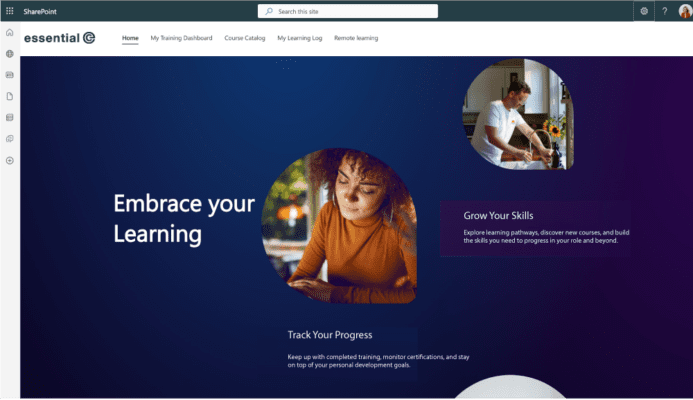
Higher Learner Engagement
- No separate system to ‘switch to’
- Access learning direct from Teams & SharePoint
- Deliver virtual training over Teams video
- Surface learning within your SharePoint intranet alongside related content
- Learn on-the-go & complete training offline via a mobile App.
Easier LMS Administration
Rapidly build & maintain a great-looking learning portal in SharePoint.
Intuitive, SharePoint and Teams-integrated administration makes it easy to respond to any training need without complexity.
Target training using Entra ID security groups, Teams membership or HRIS groups.
Integration with Microsoft 365 means it’s easy to secure for internal users and external learners, which your IT department will love!

What our customers say

1,076 people have visited our learning site, in every hour of the day. This shows the importance of learning resources being available 24/7 & on the go for our operational colleagues
Katy Livesey, Digital Training Manager at British Transport Police
Key Use Cases
- Mandatory & optional training
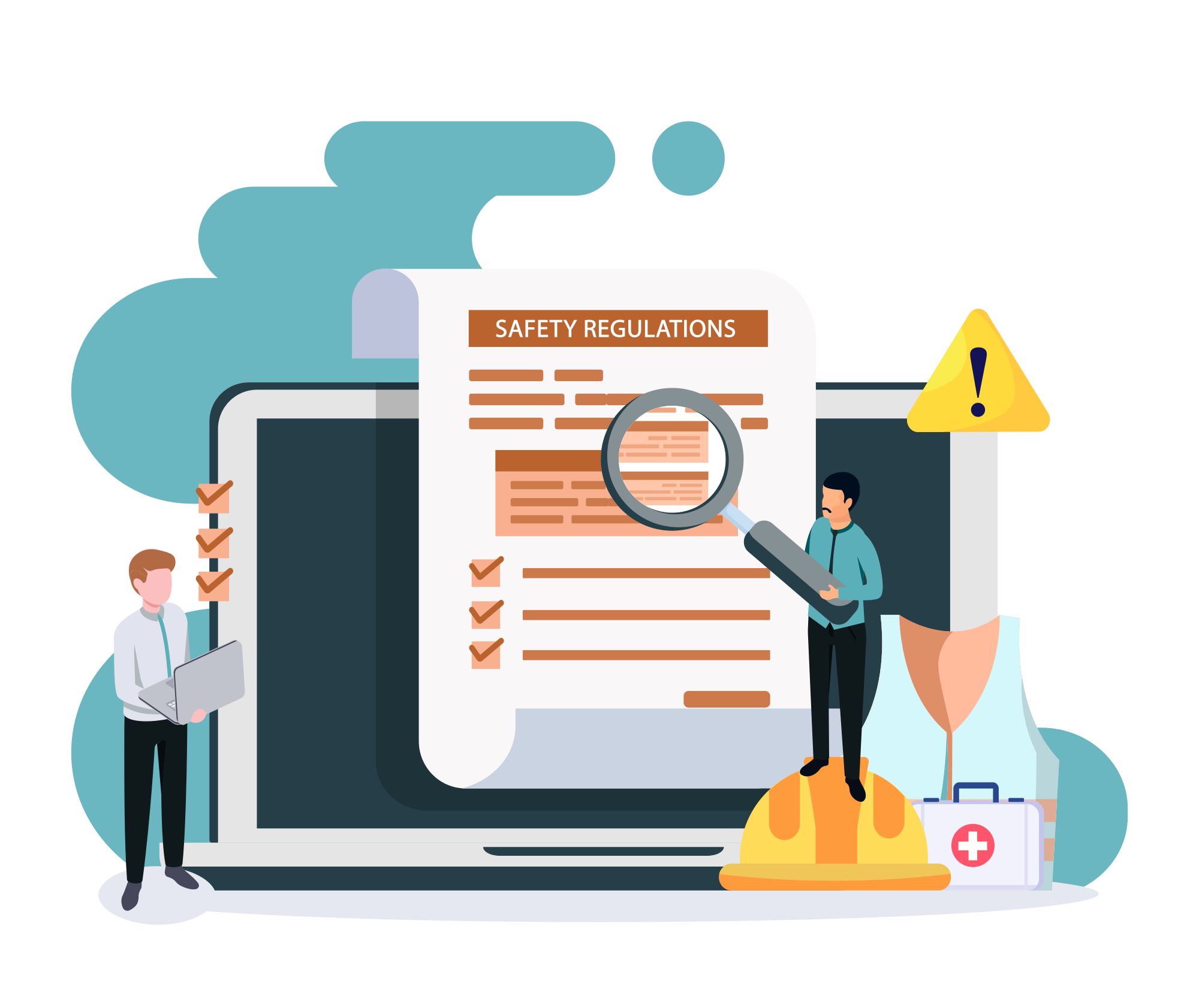
- Compliance acknowledgements & (re)certifications
- Employee onboarding & re-training
- Role-based learning pathways
- Virtual & classroom learning in Teams
- Assessment submission & supervisor review
- SOP publishing with read confirmation
- Continuing education (CEU) management.
Create Better Learning Faster
Use existing PowerPoints, videos, SCORM packages and documents to build engaging learning quickly.
Build your own SCORM packages.
Turn Teams recordings into shared resources.
Use built-in AI to generate courses and quizzes, meanwhile an AI assistant helps learners discover training in line with their goals.
Certificates, gamification and leaderboards help improve motivation, engagement and completion rates.

Prove Progress. Spot Gaps. Stay Compliant.
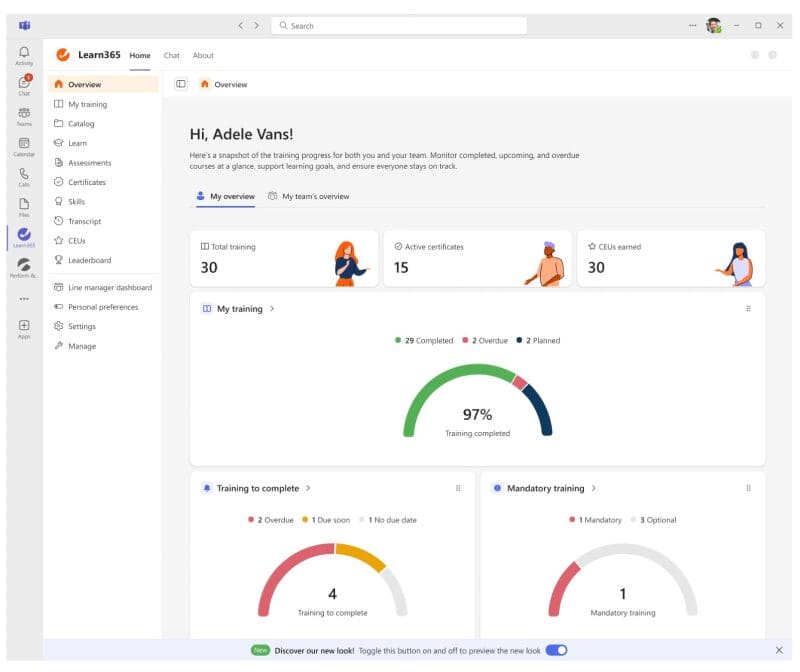
Track learner progress in real time, identify overdue training and spot where support is needed.
Managers can review progress in Teams or SharePoint, while Excel reports and Power BI dashboards provide deeper insights into completion rates, compliance status and learning trends.
What our customers say

The team at Essential have been super supportive and are very hands-on with our LMS. They gave us expert advice on getting the look and feel right and integrating our colours and brand. They continue to be there when we need something or if we’ve any issues.
Beth Lloyd, Director, Organisational Development at Aston University
WHY MICROSOFT 365 INTEGRATION MATTERS
EVERYONE Benefits by Building Learning into Your Microsoft Investment
Everything You’d Expect of an Enterprise Learning Management System – and More.
As a Microsoft 365 LMS, Learn365 includes:
- Course creation, management & delivery
- Assessments, quizzes & certifications
- Compliance tracking & automated renewals
- Reporting, dashboards & analytics
- User targeting, automation & enrolment
- Support for external, partner & frontline users
Plus you get the solid advantages of being built directly into Microsoft 365:

Intuitive & Accessible for Learners & Learning Managers Alike
Learning in the flow of work. Learn365 runs entirely within Microsoft 365, so learners can access training directly through Teams or SharePoint and in context, with no need to waste time and energy switching to another system.
Simple for administrators. Learning teams can collaboratively work on course content, automate enrolment using existing groups, manage courses and track learner progress through central dashboards – directly within Teams and SharePoint.
Secure, Quick & Easy to Deploy
Built into your tenant. Learn365 installs directly into your Microsoft 365 environment as a SharePoint-based application, surfaced through SharePoint and Teams – so there’s no separate system to stand up or manage.
Security ‘baked in’. Because it runs within Microsoft 365, Learn365 uses your existing security model, user accounts and permissions – ensuring learning is delivered within a controlled, compliant environment from day one.
Simple to deploy. Setup is quick and straightforward, without the need for complex infrastructure or new identity systems. Essential works with both IT and L&D teams to handle configuration and ensure everything is set up correctly – acting as a bridge where needed so neither side is left carrying the load.
Migrate from an existing LMS. We can help you migrate quickly and easily, moving learning content, learning records and more.
Flexible, Powerful Targeting
Links with existing groups. Learn365 can use your existing Entra ID structure to organise and target learning – automatically enrolling users based on role, department or group membership as your organisation evolves.
Flexible beyond Entra ID. You’re not limited to Entra ID. With flexible grouping and HRIS integration, you can align learning to job roles, skills frameworks and organisational data – not just directory structures.
Skills-Driven With AI. Learn365 uses AI to help you build and maintain a dynamic skills framework, mapping training to capabilities and identifying skill gaps across your organisation. Learning can then be targeted to close those gaps.
Virtual & In-Person Training Management
Beyond online learning. Learn365 supports the full training lifecycle – not just online learning. You can schedule live Teams-based sessions and in-person instructor-led sessions, managing registrations and joining instructions, all within Microsoft 365.
Integrates with your wider Microsoft 365 ecosystem. Training sessions can be linked to Outlook calendars and room bookings, making it easy to organise in-person learning alongside virtual delivery. Learners receive calendar invites, reminders and updates through Outlook and Teams, keeping everything visible in their normal workflow.
Assess learning across virtual and in-person training. Assessments can be used before, during or after training – from quizzes and knowledge checks to practical evaluations and submitted work to fully support your hybrid working environment.
Support in-person learning. Send joining instructions, track attendance, and manage follow-ups ensuring that in-person training is just as measurable and structured as digital learning.
Flexible & Scalable as Your Needs Evolve
Learn365 leverages your underlying Microsoft 365 platform to scale with your organisation – whether you’re delivering internal training, onboarding new starters, or extending learning to external users such as partners or contractors.
Partners & guest users. For partner organisations and external stakeholders with Microsoft 365 accounts, Learn365 can securely extend access using Microsoft’s identity and guest capabilities – allowing users to register and complete training within a controlled, compliant environment.
Frontline & external users. Learn365 also supports open access for frontline workers, contractors, temporary staff and wider external audiences – delivering and tracking learning without requiring an Entra ID login.
See how NHS Informatics Merseyside Supports Partner Learning – Read case study>
Commercial training audiences. For organisations delivering partner or customer training, Learn365 supports monetisation – enabling you to sell courses, manage registrations and provide paid access to content through an integrated eCommerce capability.
Extend Learning into Performance & Engagement – all Within Teams
Extend learning into performance and development. Learn365 can be combined with Perform365 and Engage365 – both surfaced directly within Microsoft Teams – to connect training with employee performance, engagement and continuous development.
Continuous performance in the flow of work. Managers and employees can run regular check-ins, capture feedback and track progress against OKRs and individual goals – all within Teams. Performance conversations, notes and actions are kept in one place, making it easier to maintain momentum and support development over time.
Prepare for reviews with real data. Built-in tools help employees and managers prepare for performance reviews using a complete picture of activity – including goals, feedback, achievements and learning progress – removing the need to gather information from multiple systems.
Clear, skills-driven career development. By linking learning to goals and performance, organisations can track skill development over time and create structured, data-driven pathways for career growth.
A connected view of your people. By bringing learning, performance and engagement together – and embedding them in the day-to-day Teams experience – organisations gain a complete, real-time view of their workforce, enabling better talent mapping, succession planning and long-term capability building.
Why Choose us as your Learn365 partner?
Working With Essential
When you choose Essential, we become an extension of your team – supporting not just implementation, but long-term success with Learn365, from onboarding and launch through to optimisation and growth.
Implementation & Onboarding. We will guide you through a setup tailored to your organisation, including discovery workshops, platform configuration, learning structure setup and go-live support.
Training & Enablement. We equip your teams to succeed from day one, with administrator training, train-the-trainer sessions and bespoke programmes aligned to your needs.
Essential Care & Support. Our UK-based help desk delivers responsive support over phone, email and remote sessions. Your teams can also resolve queries and build confidence using our Help Centre resources and regular user group meetings.
Customer Success. A dedicated Customer Success Manager works alongside you post-launch, supporting adoption, optimisation and future planning to help get the most from your investment.
Additional services. Where needed, we support data migration, advanced configuration and bespoke consultancy – tailored to your environment and requirements.

FREQUENTLY ASKED QUESTIONS
FAQS
FAQ: What is Learn365?
Learn365 is a learning management system built for Microsoft 365. It integrates with Microsoft Teams, SharePoint and Entra ID, allowing organisations to deliver training inside the tools employees already use.
FAQ: Can Learn365 run inside Microsoft Teams?
Yes. Learn365 can be accessed directly through Microsoft Teams, helping reduce login friction and making learning easier to access as part of the normal working day.
FAQ: Can Learn365 use our existing Microsoft 365 user groups?
Yes. Learn365 can use existing Microsoft 365 Groups, Entra ID security groups and Teams membership to enrol learners automatically and target training to the right people.
FAQ: What types of learning content does Learn365 support?
Learn365 supports a wide range of content formats including SCORM, video, PowerPoint, PDFs, Sway and other common learning materials. This makes it easier to reuse content you already have.
FAQ: Can Learn365 help with compliance training?
Yes. Learn365 is well suited to compliance and mandatory training. It can track completions, manage renewals, capture read-and-understood confirmations and help monitor certification requirements.
FAQ: Can managers track learner progress?
Yes. Managers and course owners can monitor learner progress, completions and overdue training through Learn365 dashboards, with additional reporting available through Excel and Power BI.
FAQ: Does Learn365 include AI features?
Yes. Learn365 includes AI capabilities that can help generate quizzes and learning materials from existing content, as well as helping learners find relevant courses more quickly.
FAQ: Can Learn365 replace our current LMS?
In many cases, yes. Organisations often move to Learn365 when their existing LMS has low engagement, poor Microsoft 365 integration, weak reporting or high administration overhead.
FAQ: Why buy Learn365 through Essential?
We provide independent, practical advice based on your needs. As a Learn365 partner with strong Microsoft 365 expertise, we help with licensing, implementation, branding, rollout and ongoing support.
FAQ: Can you help us migrate from another LMS?
Yes. We can help review your current LMS, plan migration of content and learner data where appropriate, and support a smoother transition to Learn365.
Get Pricing & Expert Advice
What our customers have to say about us

What our customers have to say
Essential were supportive during the implementation phased and helped us with our design, integrations, and communications. I’ve been impressed with how seriously they take our comments and seen vast improvement to the system in the three years I’ve used it.
Harriet Smith, Digital Learning Producer at Historic England
What our customers have to say
“The team at Essential have been super supportive and are very
hands-on with our LMS. They gave us expert advice on getting the
look and feel right and integrating our colours and brand.
They continue to be there when we need something or if we’ve
any issues.”

Beth Lloyd, Director, Organisational Development at Aston University
What our customers have to say
The service we’ve received from Essential has been nothing short of impeccable. The team are always on hand to answer our questions, response times are usually less than a day.
Harriet Smith, Digital Learning Producer at Historic England

What our customers have to say
“Early in our partnership I had the opportunity to meet with the Essential team at their UK offices. I was struck by their passion for their work, and their commitment to providing a top-notch client experience. Since that initial meeting, Essential has stayed true to those qualities and we continue to appreciate the ongoing commitment to providing the highest client value possible.”