




Microsoft Places
A look at the new Places Desk object from Microsoft Outlook


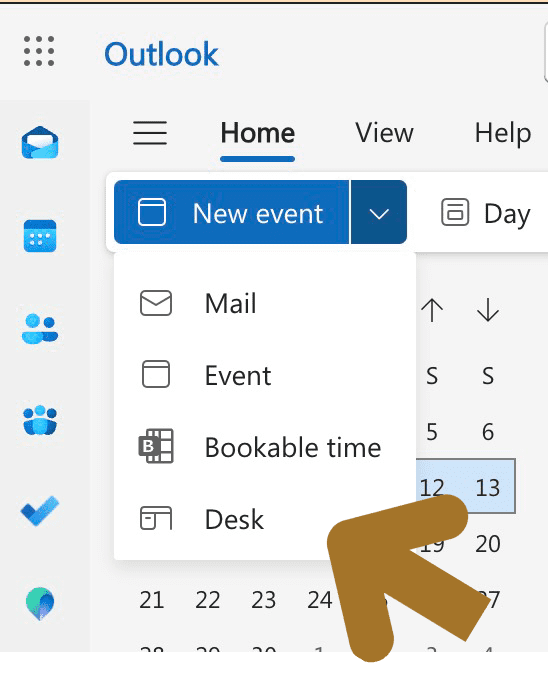
Did you know that there’s a new ‘Book a Desk option’ available in New Outlook calendar?
You’ll find it under the ‘New Event’ drop down in Outlook Calendar.
This experience works with the new desk object (for individual desks) and desk pools.
You’ll also need the Teams Premium licence to see it!
But, the easiest way to book a desk for a day that you will be in the office is directly from the “Places Card” available in new Calendar in Outlook and Teams. Click the “Reserve a desk” link:
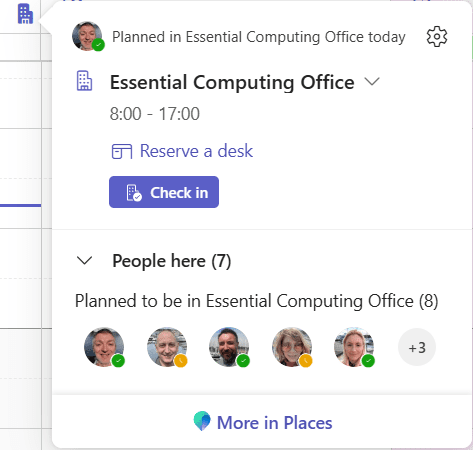
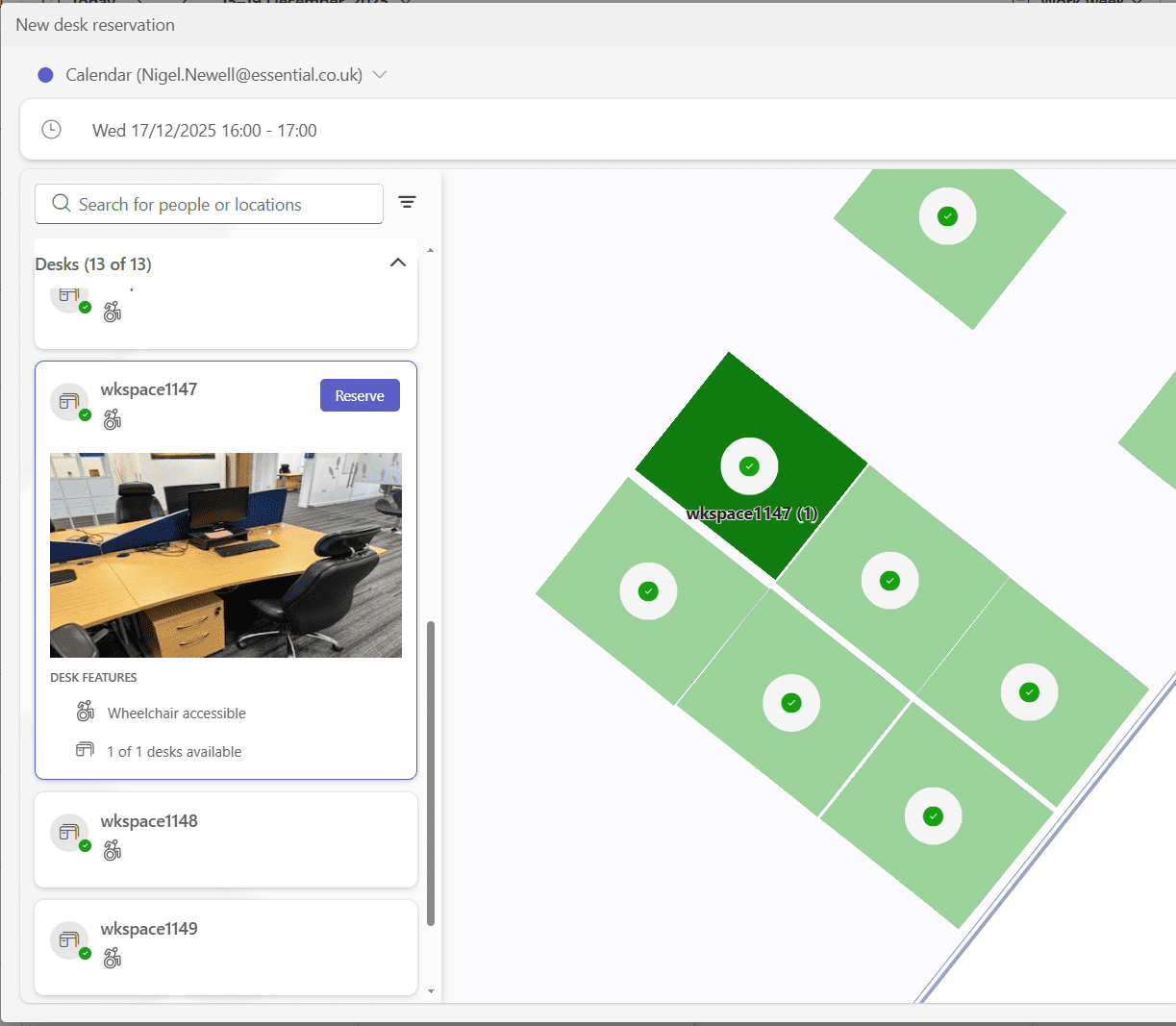
This will open the desk finder, where you can filter on your requirements and view a floorplan of the office if you have one configured, for example:
Watch this space for an updated video on the desk booking experience.
Interested in learning more? Join our Go Places channel which dives into the concepts, tools, and updates shaping Microsoft Places. Let’s make sense of this groundbreaking technology – together!
Stay tuned by subscribing to this channel.