Microsoft 365 External Portals
Create a secure, branded portal for collaborating with large-scale communities


Simplify sharing Microsoft 365 applications & information with clients & partners.
Overview
Start Sharing…Securely
Does your organisation need to support a wide network of partners, vendors or clients?
Would you like to give restricted access to Microsoft 365-hosted resources such as product information, advisory services, eLearning and more?
Typical use cases include:
- Branded partner, client & vendor portals
- Boards & committees
- Member engagement
- Partner eLearning & training content
- Data rooms & projects
Our secure portal solution lets you manage the process of registering external users and granting them secure access to resources that sit within your Microsoft 365 platform.

Schedule a chat & demo
BENEFITS
The benefits our Microsoft 365 secure portal solution
Build on Microsoft 365 Security
Our Secure Portal is designed to help you share at scale without compromising Microsoft 365 security.
IT defines the permission model and guardrails, and the business can manage who gets access – without needing elevated admin rights.
Access and activity remain auditable through Microsoft 365, supporting governance and compliance.
External users can authenticate using Entra (B2B) for single sign-on, so your existing controls (e.g. MFA and Conditional Access) can be applied.

Build on Microsoft 365 Collaboration & Tools
Don’t re-invent the wheel to support your communities when you already have the tools you need in Microsoft 365 (with a little help from our solution):
| Capability | What this delivers |
| Centralised SharePoint libraries | Dedicated SharePoint document libraries for boards and committees, with versioning, metadata, and permission control built in. |
| Document authoring & co-authoring | Multiple users can create and edit documents simultaneously using SharePoint and Office Online, with full version history and change tracking. |
| Automated Teams & SharePoint provisioning | Microsoft Teams and SharePoint sites are automatically created using templates, including document libraries, calendars, OneNote notebooks, and collaboration spaces. |
| Integrated collaboration | Conversations, meetings, and shared files are brought together through Microsoft Teams, with content stored and governed in SharePoint. |
| Secure access & permissions | Role-based access control using SharePoint permissions ensures only authorised members can view or edit sensitive content. |
| Audit trail & governance | SharePoint version history and audit logging provide visibility into who changed what and when, supporting governance and compliance requirements. |
| Search & discovery | Content is searchable through Microsoft Search, allowing authorised users to quickly find documents, decisions, and governance materials across Teams and SharePoint. |
Streamline the process of managing & approving external access requests
Our Secure Portal delivers the key components for your portal:
- Advanced portal branding
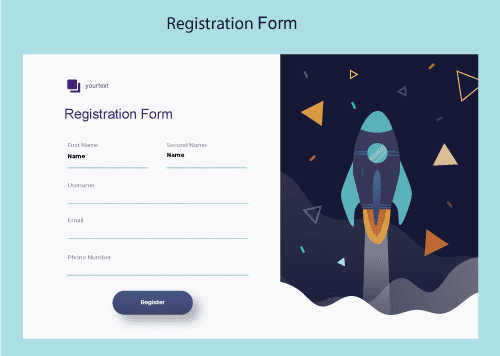
- Bespoke registration/request forms
- Bulk, branded email invitations to register (e.g. from CRMs or CSVs)
- Automatic access/logon approvals (e.g., based on domains) or manual registration approvals
- Capture of registration/profile data to update your CRMs
- eCommerce integrations (i.e., for chargeable services).

Simplify registration & logons
The process of registering for and logging into your portal can be made as easy as possible for your guests. External users can request access and login seamlessly, using
- Using their existing Entra credentials (leveraging Entra B2B for single sign-on)
- Using a One time passcode
- Using Google & Facebook federation
- SMS based authentication.
RESOURCES
Resources on external access management
What our customers have to say about us

What our customers have to say
Essential were supportive during the implementation phased and helped us with our design, integrations, and communications. I’ve been impressed with how seriously they take our comments and seen vast improvement to the system in the three years I’ve used it.
Harriet Smith, Digital Learning Producer at Historic England
What our customers have to say
“The team at Essential have been super supportive and are very
hands-on with our LMS. They gave us expert advice on getting the
look and feel right and integrating our colours and brand.
They continue to be there when we need something or if we’ve
any issues.”

Beth Lloyd, Director, Organisational Development at Aston University
What our customers have to say
The service we’ve received from Essential has been nothing short of impeccable. The team are always on hand to answer our questions, response times are usually less than a day.
Harriet Smith, Digital Learning Producer at Historic England

What our customers have to say
“Early in our partnership I had the opportunity to meet with the Essential team at their UK offices. I was struck by their passion for their work, and their commitment to providing a top-notch client experience. Since that initial meeting, Essential has stayed true to those qualities and we continue to appreciate the ongoing commitment to providing the highest client value possible.”