DESK BOOKING SYSTEMS Microsoft 365
Desk booking solutions for Microsoft Enterprises


Enterprise level desk booking solutions that build on your Microsoft 365 infrastructure.
Overview
Desk Booking Systems Have Evolved
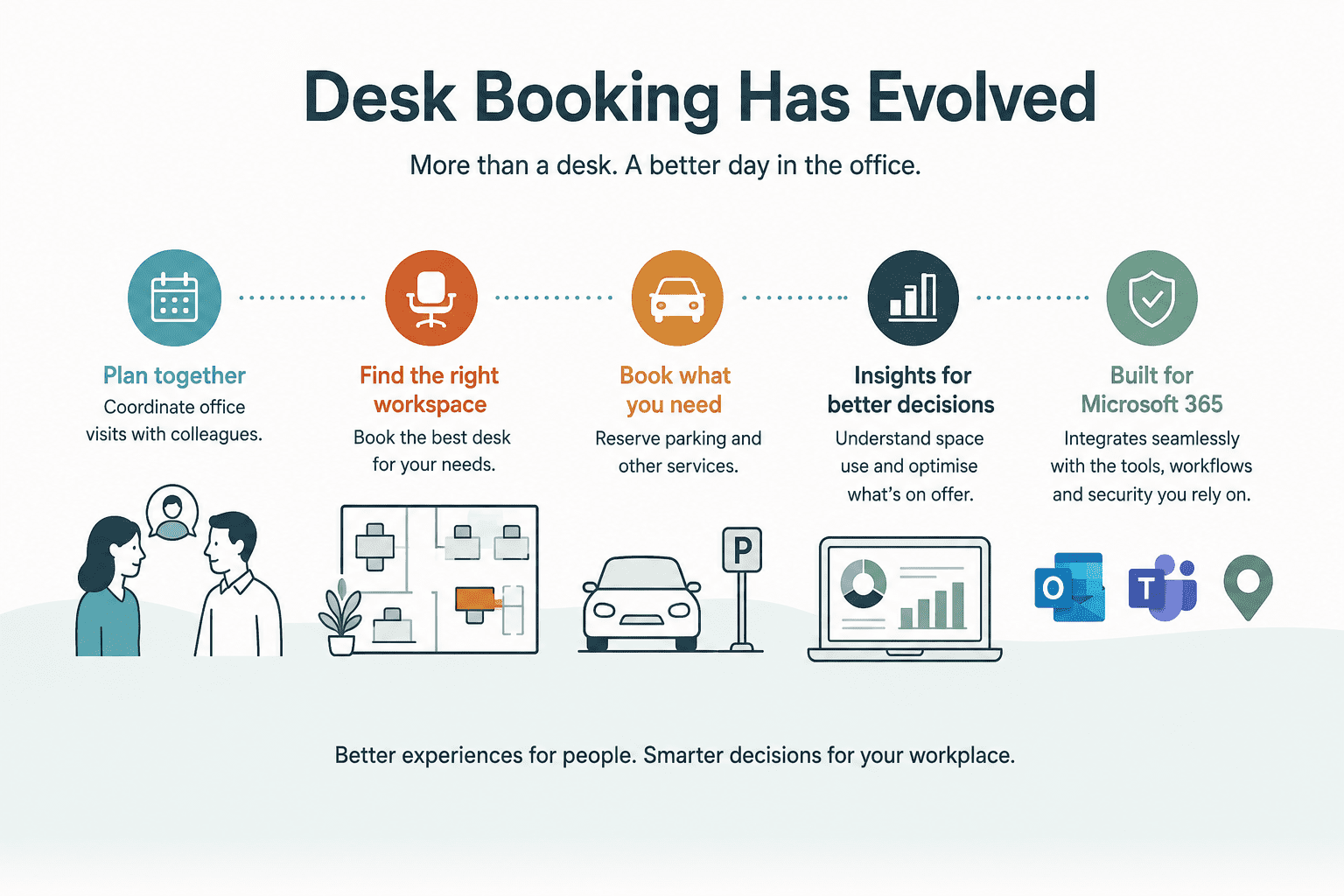
Modern desk booking systems do much more than simply reserve desks.
They help people coordinate office visits with colleagues, find the best workspace for their needs and book related services such as parking.
For facilities teams, desk booking systems can deliver insight into how office space is being used and optimise what’s on offer.
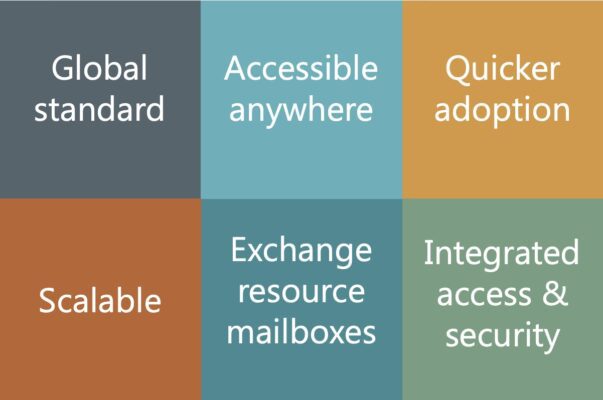
For Microsoft 365 organisations, the most successful desk booking systems are those that integrate seamlessly with existing tools, workflows and security controls.

WHAT WE DO
Essential specialises in desk booking systems for Microsoft 365
Tell us what you’re looking for and we’ll help you find the solution that’s right for your organisation.
- Compare leading desk booking systems with Microsoft Places
- Extend your workplace experience with visitor management, occupancy analytics, sensors & way-finding
- Benefit from floor plan design, implementation & training services
- Receive expert UK-based support
- Seamlessly migrate from legacy desk booking systems.
We are the UK’s Leading Microsoft 365 Workplace Technology Experts

Essential has been helping organisations implement workplace and resource booking systems for 15+ years.
When you work with us, you’ll get the right solution – and the expert support to make it a success.
WHO WE WORK WITH
Some Essential Customers
BENEFITS
Benefits of a desk booking system built for Microsoft 365
Benefits for Office Users
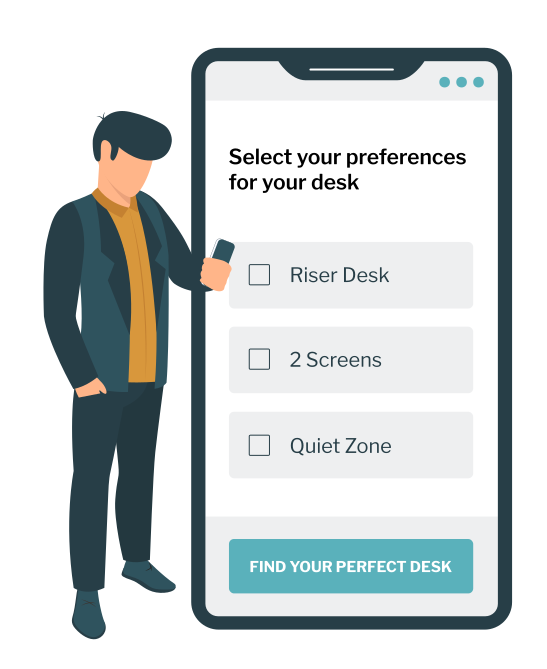
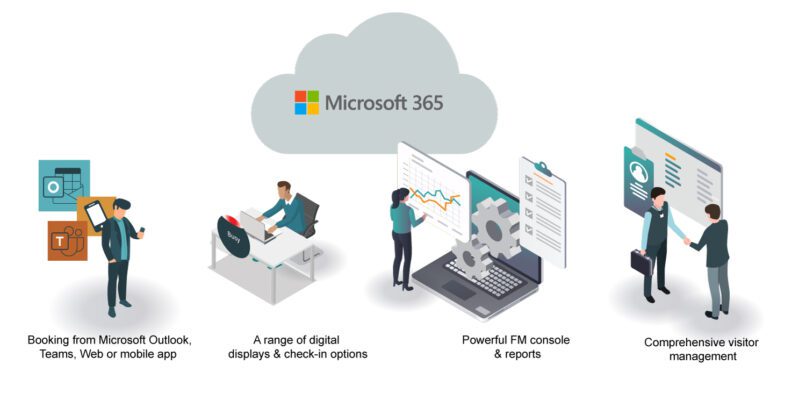
- Book desks in the flow of work using Outlook, Teams, SharePoint or mobile
- Coordinate office days with colleagues & maximise in-person collaboration
- Plan office visits around meetings, appointments & daily schedules
- Quickly locate the optimal desk, colleagues & workplace facilities
- Reserve additional resources such as meeting rooms, parking & catering.

Benefits for Facilities Teams
- Understand how office space is really being used across teams & locations
- Identify no-shows
- Combine utilisation metrics & Microsoft 365 data to uncover deeper trends
- Make confident decisions about future workplace investments & office capacity.
Benefits for IT Teams
- Maintain security & governance using existing Microsoft controls
- Align with established user provisioning & group management processes
- Minimise support by integrating with familiar Microsoft 365 tools
- Choose from a range of desk signage options including desk pucks & simple QR signs.
Schedule a chat & demo
FREQUENTLY ASKED QUESTIONS
FAQS
FAQ: What is a desk booking system?
Hybrid working has led many enterprises to reduce their office footprint. A desk booking system allows employees to reserve desks before they arrive at the office, giving them certainty about where they will be sitting when they come into the office.
The latest desk booking systems also provide visibility of when co-workers and colleagues plan to be in the office, enabling employees to book a desk on the same date and in the same area. This helps improve collaboration and avoid ‘commute regret’ where employees travel to the office only to find that everyone else is working from home.
FAQ: What should I look for in a desk booking solution for Microsoft 365?
Ease of use should be a primary consideration when selecting a desk booking system. Solutions that integrate seamlessly with familiar Microsoft 365 tools such as Outlook, Teams and mobile devices typically deliver higher user adoption and a better employee experience.
Microsoft integration can also simplify support, administration and security management by leveraging existing Microsoft 365 investments and identity services.
Beyond desk booking, organisations should consider whether they require additional capabilities such as visitor management, booking parking spaces, ordering catering and services, deep occupancy analytics or broader workplace experience features such as booking yoga classes.
The right solution will depend on your organisation’s specific operational and workplace requirements.
FAQ: How do employees find their booked desk?
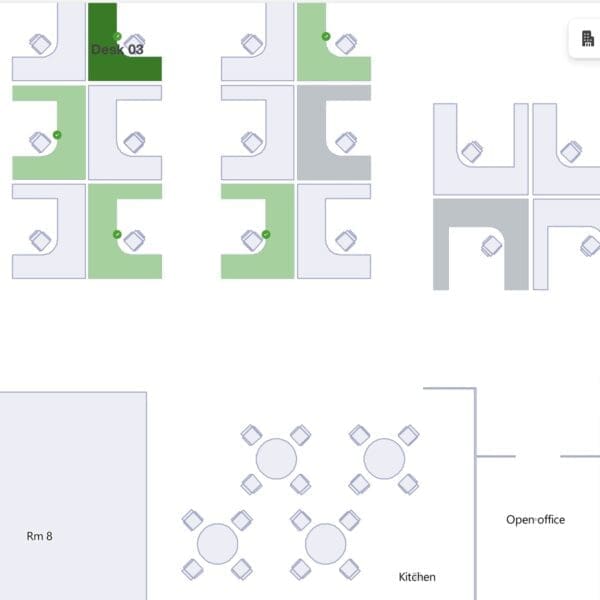
Many desk booking systems include interactive floor plans that help users locate desks, meeting rooms and workplace amenities. For the best outcomes, this should be used alongside physical desk numbering, wayfinding and signage to improve the user experience.
FAQ: Can desk booking systems help improve workplace optimisation?
Yes. Deployed correctly, desk booking systems provide insight into how desks and workspaces are being used, such as demand for riser desks versus regular desks and peak demand periods.
This helps organisations make informed decisions about office layouts, capacity planning and future workplace investments, as well as initiatives designed to spread office visits more evenly across the week.
FAQ: What reporting and analytics are available?
Many desk booking solutions provide reporting on desk utilisation, attendance patterns, booking trends and occupancy. These insights can help organisations understand how workplace space is being used and identify opportunities for optimisation.
The reporting detail offered by different desk booking systems can vary. For example, Microsoft Places anonymises all metrics, whereas some desk booking systems can specifically identify repeat no-show offenders – individuals that pre-book desks and meeting rooms but fail to show up on the day.
FAQ: How do desk check-in processes work?
Desk booking systems vary in the check-in services they offer. Options include confirming arrival through a mobile app, scanning a QR code fixed to the desk, using a desktop device that authenticates using staff ID cards and automated check-ins using heat-detection sensors underneath desks.
Other options are available. For example, Microsoft Places offers check-in by detecting connections to compatible docking stations and peripherals. Most platforms can automatically release desks if a user does not check in within a defined period.
FAQ: Do I need occupancy sensors with my desk booking system?
Not necessarily. Many organisations begin with desk reservations and check-in processes alone. However, occupancy sensors can provide more accurate utilisation data and help identify underused desks and workplace areas.
FAQ: What should I look for in a desk booking system provider?
Implementing a desk booking system is about much more than deploying software. A successful project requires the needs of employees, facilities teams and IT departments to be balanced to deliver a workplace experience that people will actually use.
Key considerations include:
- Employee experience – The solution should be intuitive and convenient, from booking a desk in advance through to locating the booked desk and checking into it on arrival.
- Facilities management – Facilities teams need accurate and easily updated floor plans, workplace analytics and reporting to help optimise office space and workplace services.
- IT requirements – The platform should be secure, easy to administer and integrate effectively with Microsoft 365.
- Workplace technology – You may require supporting solutions such as visitor management, occupancy sensors, digital signage and floor plan design.
A good provider should not only help you select the right technology but also support planning, implementation, floor plan creation, user adoption and ongoing optimisation.
At Essential, we work closely with all workplace stakeholders and have extensive experience delivering Microsoft 365-based workplace solutions. Our goal is not simply to implement a system, but to help ensure your workplace technology delivers long-term value and adoption.
ESSENTIALS FOR THE MODERN WORKPLACE
Explore Related Solutions







Not sure what you need?
Thinking of going Microsoft Places?
RESOURCES
Desk booking system resources for Microsoft 365
What our customers have to say about us
What our customers have to say
“With our existing Zoom Workspaces contract ending, Essential stepped in and rapidly replicated some of the styling elements we had on our existing Zoom workspace booking system to help create a familiar UX when we migrated across to Microsoft Places.”
Mark Baldus, Infrastructure & Operations Manager, Dudek

What our customers have to say
“Essential has transformed our workspaces and car parks into intuitive, easily navigated interactive maps, making it simple for our people to select and book their ideal places when scheduling their office days.”
Ryan Arif Workplace Improvement Lead & Facilities, Ageas

What our customers have to say
“Being able to pre-book a desk close to colleagues is a game-changer for our team’s productivity, especially as we are about to be working in an unfamiliar temporary space whilst we refurb our Poole office.”
Chris Egan, Infrastructure Project Manager, Merlin Entertainments ltd
What our customers have to say
“It’s now quicker and easier for hosts to register visitors in advance and provide all the relevant information, such as whether the visitor needs escorting. Managing visitor arrivals has also been streamlined with services that include self-service check-in kiosks and automated notifications to hosts.”